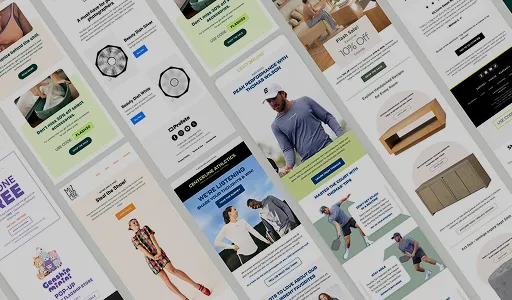

Quick Answer
Win-back emails are automated messages sent to dormant customers or subscribers to re-engage them. We use incentives, brand values, product updates, and loyalty rewards to convince them to buy again. We leverage timing, segmentation, personalization, and omnichannel messaging to convert recipients. Continuous optimization through measuring campaign performance, A/B testing, and suppression strategy keeps the email list healthy and drives revenue.
What is a Win-Back Email?
A win-back email is a message a brand sends to a customer or subscriber who has stopped buying or engaging to bring them back. We remind subscribers of the brand’s value, offer rewards, and share product updates to encourage action.
At InboxArmy, build win-back emails to reignite the interest of following subscribers or customers:
- Dormant customers have bought before and have gone quiet past their expected buying cycle.
- Inactive subscribers who have stopped opening or clicking emails.
- Churned customers who have canceled their subscription or ended a contract.
- Lapsed buyers who have not purchased again within the repurchase window the brand expects.
What are the Key Components of a Win-Back Email
Catchy Subject Line:
Keep it specific, short, and convey genuine urgency. Our win-back email results indicate that including a product, benefit, or a deadline performs better with inactive audiences.
Personal Touch:
Personalize win-back emails using browsing behavior, purchase history, and favorite products. Tailored content works better than the same email for every subscriber.
Clear Incentive:
Customers need a concrete reason to return, whether that’s a discount, free shipping, account credit, loyalty points, or a freebie.
Call to Action:
We give each win-back email one primary job, like “Shop Bestsellers”, “Reorder Your Favorites”, or “Claim Free Shipping.”
Easy Unsubscribe:
An easy unsubscribe gives customers control and protects the brand’s sender reputation. CAN-SPAM requires a working opt-out and a valid postal address for commercial messages like win-back emails.
When Should You Send a Win-Back Email?
Brands should send a win-back email when a customer passes the point where they would normally act again, based on that customer’s expected behavior; it can range from 30 to 60 to 90 days of inactivity. The right moment depends on the business model, the product lifecycle, and the customer’s history.
Ecommerce Purchase Cycle:
An ecommerce brand should send a win-back email once a customer passes the typical gap between orders. A brand where most customers reorder every two months should not wait a year to reach out.
Subscription Cancellation:
A subscription brand should send a win-back email shortly after a customer cancels, then again later. We use the first message to confirm the cancellation and keep the door open. Our later emails address the likely reason for leaving, such as price, usage, or a missing feature.
Replenishment Products:
For brands selling consumable products, we send win-back emails when a customer’s supply runs out. In such cases, we’ve seen conversion without a discount.
High-AOV and Long Consideration Cycles:
For high-value products and long decision cycles, the win-back emails need helpful content, care tips, and new arrivals.
The Win-back Email Sequence
Win-back campaigns include a four-email sequence spanning reminders, social proof, incentives, and a final warning.
Email 1- Reconnection
The first win-back email reconnects with the customer through a gentle reminder. It reinforces the value the customer got from the brand.
Reconnection Win-back Email Example
For Rumpl, an outdoor adventure brand, we build a win-back email with an image-focused design and a prominent CTA.
Must Include:
- Existing benefits of engaging with the brand, like free shipping, referral program, return terms, and Buy Now, Pay Later.
- Preference options for email types, topics, frequency, and delivery times to reduce unsubscribes.
- Offer rewards for customer birthdays.
Subject Line: You missed these while you were away
CTA: Explore Limited Edition

Email 2 – What’s Changed/Social Proof
The second email shows customers what’s improved since their last visit. We include new products, features, results, reviews, and useful information. Social proof gives the customer outside evidence that the brand delivers.
Social Proof Win-back Email Example
Qualia’s win-back email for canceled subscriptions focused on building credibility and highlighting benefits.
Must Include:
- Include customer reviews and real-life experiences as social proof.
- Credibility badges on sourcing, production, and certifications.
- Unsubscribe and preference button so subscribers have complete control.
CTA: Restart My NAD+ Routine

Email 3 – Incentive
The third email adds a reason to act. The incentive can be a discount, free shipping, account credit, loyalty points, or a freebie. Customers who have ignored the first two emails are the best audience for this one.
Incentive Win-back Email Example
The win-back email we designed for Snake River Farms reconnects with subscribers through best sellers and rewards.
Must Include:
- Personalized email with name, tailored product recommendation, and reward points.
- Introduce new recipes available for subscribers to try out.
CTA: Shop Now, Redeem Now

Email 4 – Final chance/sunset
The fourth email sets a deadline and makes a final request. It includes a clear final CTA and a way to give feedback. For customers who still don’t respond, we suppress them after this email. This clean ending keeps the list healthy and the sender reputation strong.
Final Chance Win–back Email Example
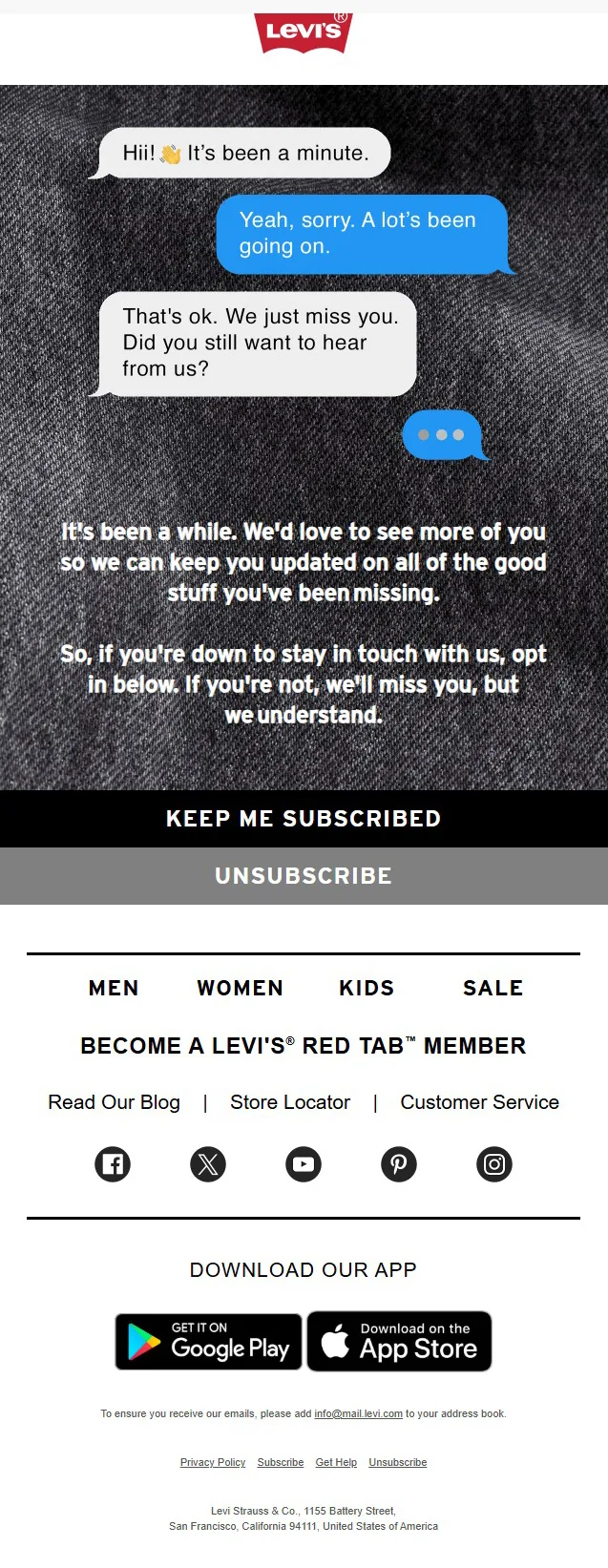
We kept it simple, design-and copy-wise, for Levi’s win-back email.
Must Include:
- Keep the tone warm and friendly throughout the email. Place the promotional and selling below the primary message.
- One-click to unsubscribe or continue subscription.
CTA: Unsubscribe, Keep Me Subscribed
How to Create a Win-Back Campaign
An effective win-back campaign includes defining who is inactive, choosing a trigger, segmenting the audience, matching the message to the reason for leaving, and measuring what happens.
1. Define Your Inactive Customer
Inactive means different things for different businesses, so the definition has to come from your own data.
Purchase inactivity: the customer has not bought within the expected window.
Product inactivity: the user has stopped logging in or using a key feature.
Email inactivity: the subscriber has stopped clicking.
Note: We exclude customers who bought recently, have an open support ticket, or have a refund in progress.
2. Identify the Right Win-Back Trigger
The trigger is the event that moves a customer into the flow, and it should follow the customer’s expected behavior. The most common triggers fit the business model:
- Time since last purchase suits ecommerce brands with a regular buying cycle.
- Cancellation suits subscription brands.
- Product inactivity suits SaaS and app brands.
- A missed repurchase date suits consumable products.
- Lead inactivity suits B2B brands with longer sales cycles.
3. Segment Your Audience
Segmentation decides which customers receive which message. We tailor messages based on customer value, purchase history, behavior, and reason for inactivity.
Note: We determine the reason for inactivity from cancellation surveys, feedback replies, or support history.
4. Choose the Right Message and Offer
The message should answer the reason the customer left. A customer who stopped buying because of price needs a different email than a customer who stopped because of fit or service.
| Reason | Message | Offer |
|---|---|---|
| Price | Value and savings | Discount or credit |
| Shipping cost | Delivery perks | Free shipping |
| Forgot about the brand | Reminder of favorites | Shop Bestsellers |
| Product fit | New products or features | Sample, bonus, or upgrade |
| Service problem | Acknowledgment and fix | Feedback request first |
| Seasonal need | Timely reason to return | Seasonal offer |
5. Use Conditional Splits
Conditional splits route each customer through the flow based on what the customer does. The splits we use most are:
Purchased or did not purchase: a buyer exits the flow immediately.
Clicked or ignored: a clicker who did not buy receives a reminder about the clicked product, and a customer who ignored every email skips to the final email.
Engaged or unengaged: engaged customers receive the full sequence, and unengaged customers receive a shorter one.
High value or low value: high-value customers receive a more personal version and a larger incentive.
6. A/B Test Your Campaign
A/B testing shows which version of an email earns more returns. We change one variable per test, such as timing, subject line, copy, CTA, or incentive.
7. Review and Optimize the Campaign
Regular review turns a flow into a better flow over time. We review after each send cycle, or monthly for continuous flows. Each review covers win-back rate by segment, revenue per recipient, margin after incentives, unsubscribe rate, and complaint rate.
8. Know When to Sunset
Sunsetting means moving customers who stay silent after the sequence to suppression, so the brand stops sending them promotional emails. Continuing to send to unresponsive addresses raises complaint rates and lowers inbox placement.
8 Win-Back Email Examples
The right win-back message depends on why the customer became inactive and what would motivate them to return.
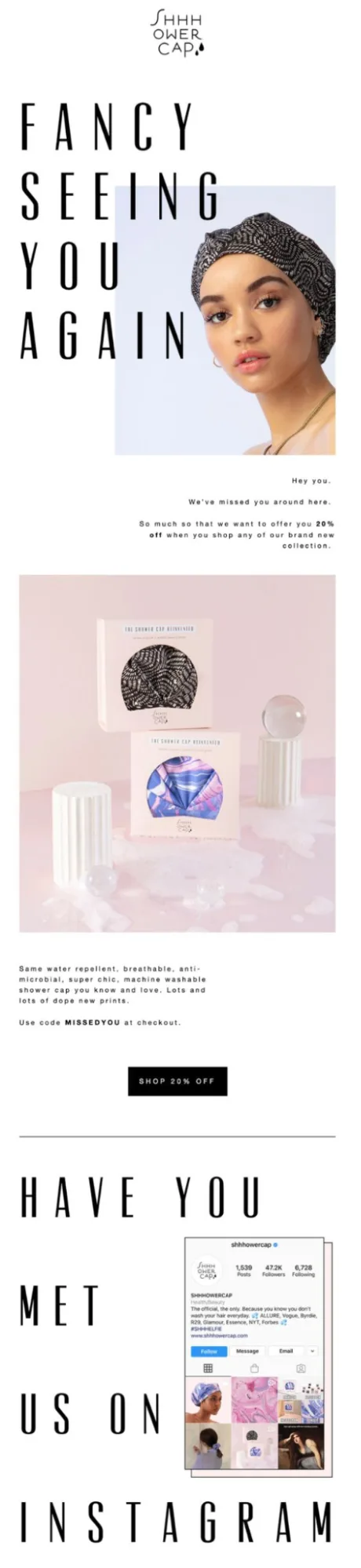
1. “We Miss You” Win-Back Email
A “we miss you” email works best as a first touch with customers who lapsed recently and still have a good relationship with the brand. The message is warm and short, and it reminds the customer of what they liked.
Subject Line: It has been a while, Jordan.
Shop Now: CTA: See what’s new, Shop 20% Off
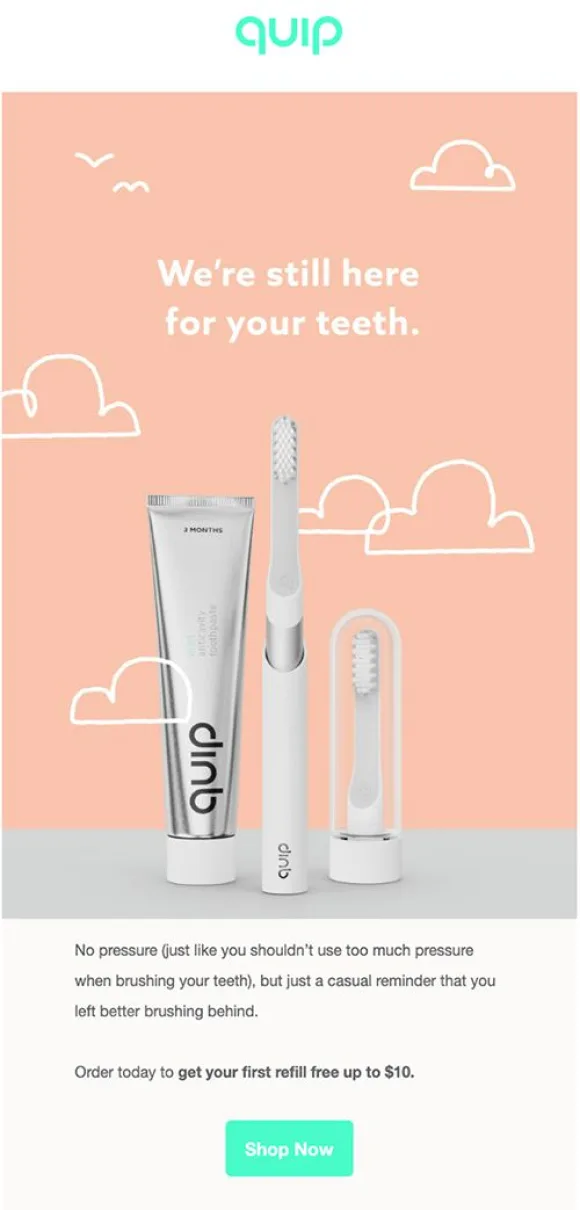
2. Discount Win-Back Email
A discount email works best for price-sensitive customers who showed interest and then stopped buying. The offer should have a clear value and a clear deadline.
Subject Line: 10% off your next order, just for you!
CTA: Shop with 10% off, Shop Now
3. Freebie Win-Back Email
A freebie email offers something with a clear value that does not cut the product price directly. The freebie can take several forms:
- A gift with purchase
- Free shipping
- A bonus product
- Account credit
Subject Line: Free shipping on your next order.
CTA: Claim free shipping.
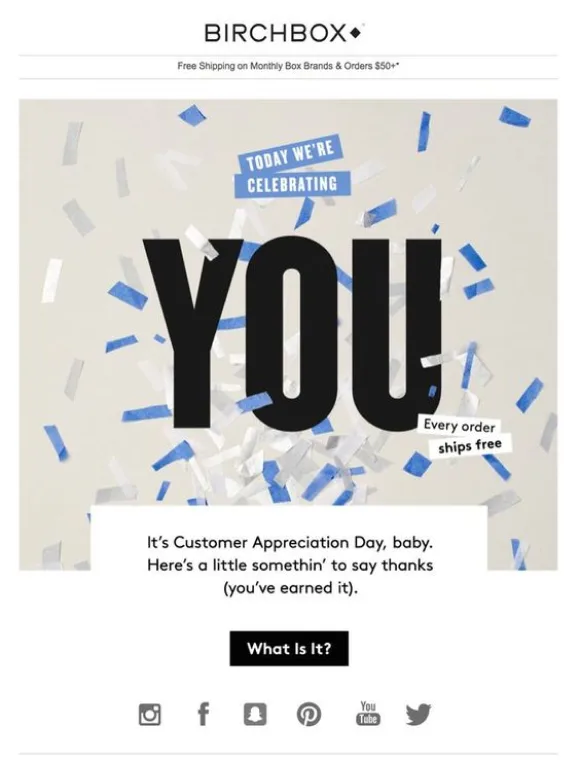
4. FOMO Win-Back Email
A FOMO email creates urgency through something the customer could miss. The urgency has to be real, because false deadlines damage trust. Three forms work well:
Limited availability: a product or size that is nearly sold out.
Newness: a launch the customer can see before others.
Deadline: an offer with a firm end date.
Subject Line: Your size is almost gone.
CTA: Get it before it sells out.
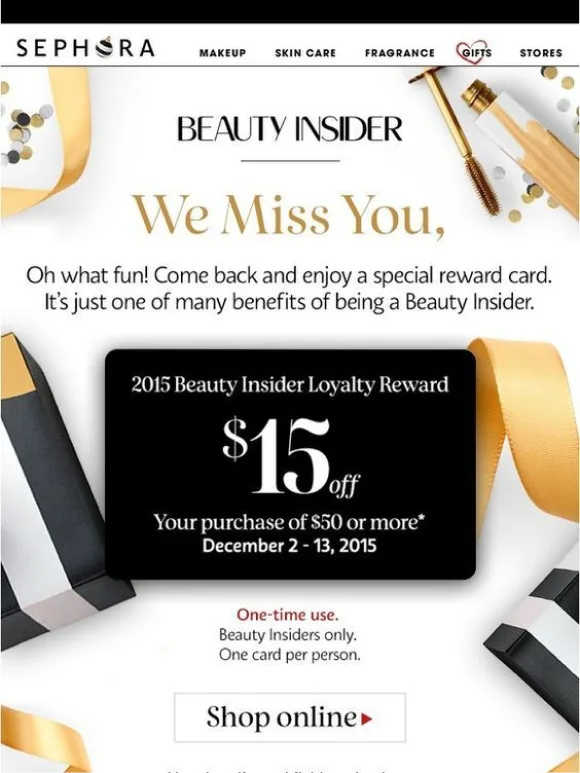
5. “Just Checking In” Win-Back Email
A “just checking in” email reconnects with a customer without asking for anything. It suits B2B relationships, high-value customers, and any audience where pressure would backfire.
Subject Line: Checking in, It’s been a while since we said hello
CTA: Reply to this email or Talk to our team
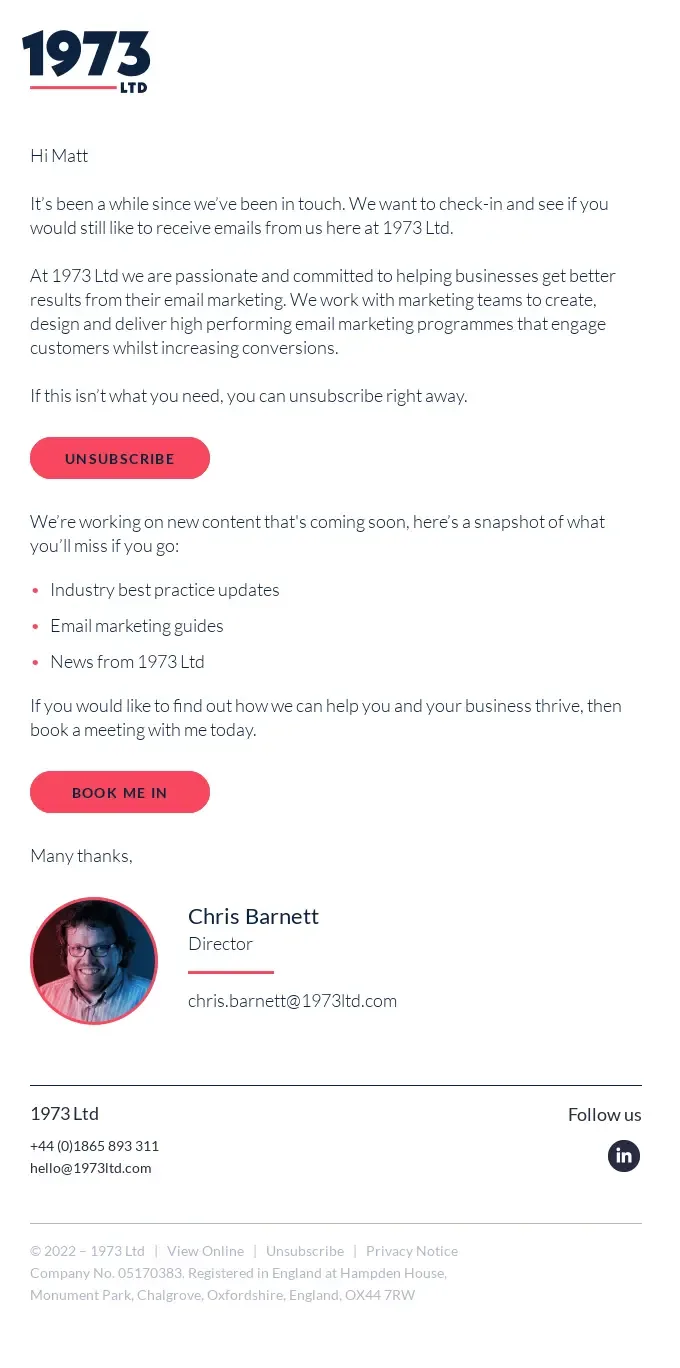
6. Special Occasion Win-Back Email
A special occasion email ties the reach-out to a moment that matters to the customer. The occasion can be a birthday, an anniversary, a membership milestone, or a seasonal event.
Subject Line: Happy birthday, Jordan. A gift from us.
CTA: Claim your birthday gift.
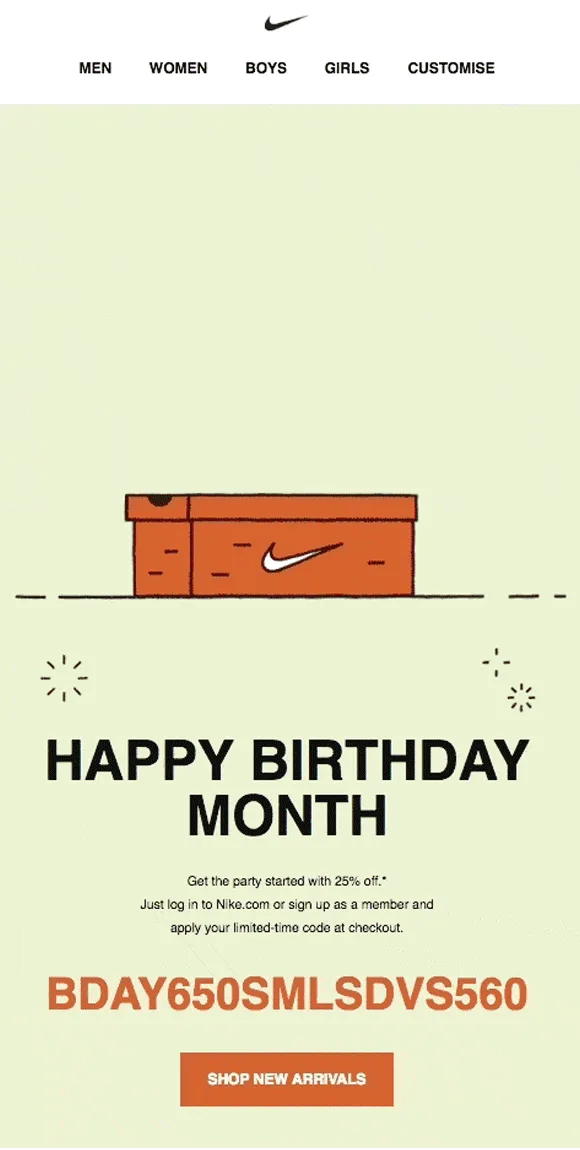
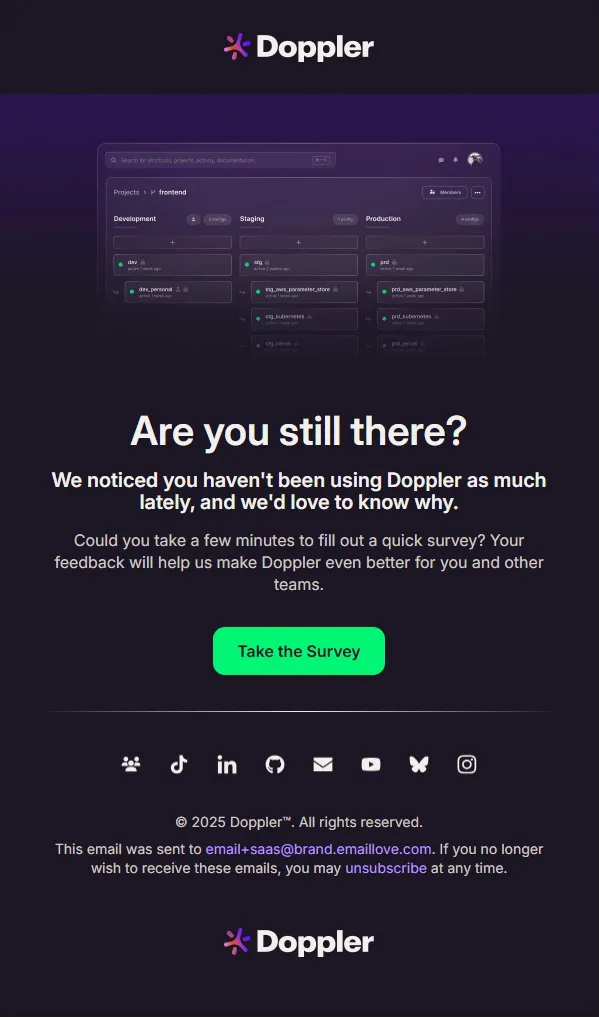
7. Feedback Win-Back Email
A feedback email asks the customer why they stopped buying. It works well when the brand does not know the reason for inactivity.
Subject Line: What went wrong?
CTA: Take The Survey
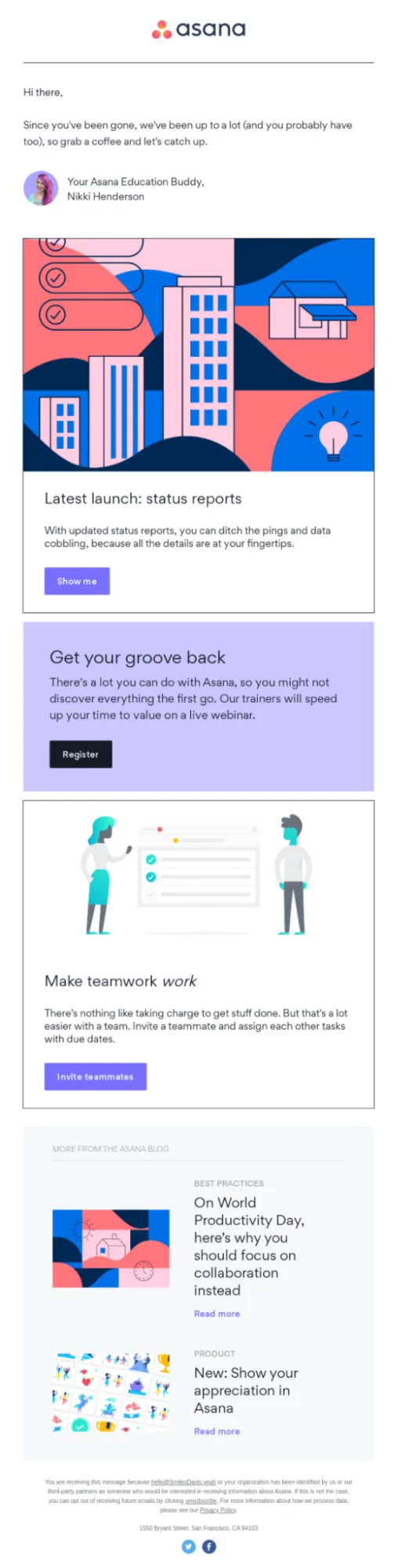
8. New Product or Feature Win-Back Email
A new product or feature email shows the customer that the brand has changed since they left. New products, new features, and fixes all qualify.
Subject Line: The feature you asked for is here.
CTA: See what’s new.
Win-Back Subject Lines
Win-back subject lines work best when the intent matches the email inside. We keep the subject line under 50 characters so mobile inboxes can display it in full. Here are a few subject lines we created and tested with InboxArmy’s free tools.
Email Subject Line Generator: Create subject line variations according to tone, campaign type, and audience.
Email Subject Line Tester: Get your effectiveness score before you send an email.
We Miss You Win-Back Email Subject Lines and Preview Text
We Thought of You — Check Out What’s New 75%
There’s been some updates since your last visit. Come see for yourself.
Come Back and Revisit Your Favorite Items 76%
Your favorite selections are still available and waiting for you.
Your Favorites Are Still Here Waiting 78%
Don’t forget the products you enjoyed. Come back and explore.
Discount Win-Back Email Subject Lines and Preview Text
Still Thinking About It? Here’s a Discount 75%
Make your decision easier with a limited-time offer.
Your Favorite Items Are Waiting – Save Now 77%
Limited-time savings on products you showed interest in.
Come Back and Save – We’ve Missed You 76%
Get a special discount to welcome you back today.
Freebie Win-Back Email Subject Line and Preview Text
Enjoy a complimentary add-on with your order 75%
Enhance your purchase with a free extra at checkout.
Earn account credit with your next order 74%
Shop now and receive store credit to use on future purchases.
Enjoy a special gift with your purchase today 73%
Receive a free bonus item when you shop now. Limited time offer.
New Product or Feature Win-Back Email Subject Line and Preview Text
We’ve upgraded things for you, {{firstName}} 72%
Explore our new products and features tailored for you.
{{firstName}}, see what’s new since you last visited 75%
Our latest updates are designed to enhance your experience.
New features just for you, {{firstName}} 75%
Experience the latest improvements designed to help you.
Feedback Win-Back Email Subject Line and Preview Text
We Miss Seeing You, {{firstName}} 74%
Tell us what made you stop shopping with us.
Your Thoughts Matter, {{company}} 75%
Share what we could do better to earn your return.
Why Did You Stop Buying, {{firstName}}? 76%
We’d love to understand your reasons and improve.
Special Occasion Win-Back Email Subject Line and Preview Text
Celebrating your milestone, {{name}} 73%
A little something to mark your success. Check it out.
Your special occasion is here, {{firstName}} 74%
Celebrate with us and enjoy a personalized offer.
Your membership milestone is here, {{firstName}} 75%
Celebrate your journey with an exclusive offer.
“Just Checking In” Win-Back Email Subject Line and Preview Text
Just wanted to see how you’re doing 73%
No pressure—just a friendly check-in from us.
Still here for you, {{company}} 74%
Reaching out to see if we can support your goals.
Is there anything you need, {{company}}? 77%
Just reaching out to see how we can assist.
FOMO Win-Back Email Subject Line and Preview Text
Your Favorites Are Nearly Gone 73%
Avoid missing out—shop before stock runs out.
Final Days to Claim Your Special Offer 71%
Don’t miss out—this deal expires at midnight tonight.
Offer ends soon—don’t miss your shot 74%
Secure your deal before it’s gone at midnight tonight.
Win-Back Email Best Practices
Win-back email campaign best practices introduce something of value, personalize message, use audience segmentation, include social proof, and a clear CTA to bring back inactive audiences.
Demonstrate value:
A lapsed customer needs a reason to care before an offer matters.
Do: Lead with a result, product, or feature the customer used, and place it in the first screen.
Avoid: Opening with the discount, which makes the brand look like it has nothing else to offer.
Personalize the email:
Behavior-based details show the customer that the message was written for them.
Do: Use the last product purchased, a browsed category, or the date of the last order, and add fallback content for every dynamic field.
Avoid: Relying on a first name alone, and avoid referencing browsing history in sensitive categories.
Keep the copy concise:
Lapsed customers give the email only a few seconds.
Do: Write one idea per email in a few short paragraphs, and cut any sentence that does not support the main action.
Avoid: Stacking several offers or long explanations in one message.
Use a clear CTA:
One button with one label tells the customer exactly what to do.
Do: Use a specific label such as “Reorder your favorites,” size it for thumbs, and link it to a cart or page with the offer applied.
Avoid: Placing several equal buttons in the email or sending the click to a home page.
Optimize subject lines:
The subject line earns the open, and the preview text adds a second detail.
Do: Write several versions, test one variable at a time, and judge the winner by clicks and conversions.
Avoid: Misleading lines such as a fake “Re:” prefix. CAN-SPAM prohibits deceptive subject lines.
Avoid unnecessary discounting:
Discounts cut margin and train customers to wait for the next offer.
Do: Save the incentive for email 3 of the sequence, and size it to customer value.
Avoid: Sending a blanket code to every lapsed customer, including those who would have returned anyway.
Avoid spammy tactics:
Spammy emails raise complaint rates, which hurts delivery for every campaign.
Do: Make every deadline real, so an offer that says it ends Sunday ends on Sunday.
Avoid: All caps, repeated exclamation points, and countdown timers that reset for each recipient.
Use social proof:
Reviews give the customer outside evidence that the product delivers.
Do: Show a real review or rating for the category the customer bought, and place it near the button.
Avoid: Showing only positive reviews while claiming to represent all of them. The same rule bars misrepresenting displayed reviews as all or most reviews when negative ones have been suppressed.
Begin with a gentle reminder:
The first email should invite the customer back without pressure.
Do: Start with a warm note that mentions a favorite product or a recent update, and make the next step easy.
Avoid: Opening with a deadline, a guilt trip, or a large offer.
Consider an omnichannel approach:
Customers respond on different channels, and a coordinated sequence reaches more of them.
Do: Pair email with SMS, push, or paid audiences only where the customer has opted in, and use one shared suppression list so customers who return or leave stop hearing from the brand everywhere.
Avoid: Sending the same message on every channel on the same day. In the US, marketing text messages require prior consent, so confirm opt-in status before adding SMS.
Metrics To Track The Success Of Win-Back Emails
Win-back campaigns need metrics that measure returned customers and revenue, in addition to opens and clicks. The 5-email win-back campaign, we built for American Family Care had a open rate of 46.41% and click-through rate of 1.28%.
The eight metrics below cover reach, revenue, value, and list health.
Win-Back / Reactivation Rate
Win-back rate measures the share of targeted inactive customers who return and complete a defined action, such as a purchase. Our teams divide returned customers by targeted customers within a set window. We define the window and the action before the campaign starts. This metric answers the main question of whether the campaign brought people back.
Revenue Per Recipient
Revenue per recipient measures the revenue the campaign generates for each person who received it. Our teams divide attributed revenue by the number of recipients. The metric allows fair comparison between segments of different sizes. It also exposes campaigns that earn high revenue from only a few customers.
Incremental Revenue
Incremental revenue measures the revenue that exists because of the campaign. Our marketing specialists calculate it by comparing a group that received the emails with a group that did not. This metric separates real campaign impact from sales that would have happened anyway. It is the most reliable measure of success.
Repeat Purchase Rate
Repeat purchase rate measures the share of returned customers who buy again. A customer who returns once for a discount and never again adds little value. We track this rate over several months after the campaign. A high rate shows that the brand brought back the right customers.
Customer Lifetime Value
Customer lifetime value estimates the total revenue a customer generates over the relationship. We compare the value of won-back customers with the value of customers who never lapsed. At InboxArmy, the comparison shows whether win-back customers deserve more investment or less. It also helps set the maximum incentive a brand can afford.
Margin After Incentives
Margin after incentives measures profit once discounts, free shipping, and gifts are subtracted. A campaign can produce high revenue and still lose money. Our team calculates this figure for every offer. The result decides which incentives stay in the sequence.
Unsubscribe Rate
Unsubscribe rate measures the share of recipients who opt out after receiving the email. A win-back audience has low engagement, so the rate runs higher than on active campaigns. A sharp rise signals that the targeting or frequency is wrong. We review it for each email in the sequence.
Spam Complaint Rate
Spam complaint rate measures the share of recipients who mark the email as spam. Inactive audiences generate more complaints than active ones. A high rate can harm delivery for every campaign the brand sends.
Win-back Email FAQs
What type of strategy is a win-back email?
A win-back strategy can essentially be defined as a marketing program to re-engage inactive customers by offering them incentives, rewards, or special offers to become active customers again.
What is the meaning of a lapsed customer?
A lapsed customer refers to an inactive customer. Lapsed customers typically include customers who have not made any recent purchases or interacted with your business for a specific amount of time.
What is the meaning of a lapsed customer?
A lapsed customer refers to an inactive customer. Lapsed customers typically include customers who have not made any recent purchases or interacted with your business for a specific amount of time.
What is a win-back flow?
Win-back flows are primarily a series of automated email flows aimed at winning back lapsed customers.
How do you create a win-back strategy?
A win-back strategy defines who counts as inactive, choosing a trigger, segmenting the audience, and matching the message and offer to the reason each group left.
What's the difference between a re-engagement and a win-back campaign?
A re-engagement campaign targets subscribers who stopped opening or clicking emails, and a win-back campaign targets customers who stopped buying or canceled. Re-engagement focuses on email behavior, and win-back focuses on purchase or usage behavior.
How effective are win-back campaigns?
According to Convertcart, well-executed automated win-back email campaigns have a conversion rate of 10.34%. A campaign sent at the right moment to a well-defined segment usually recovers more customers than a blanket discount sent to everyone.